You might be wondering yourself, “What is a RAG App?”. I would have said the same thing about a month and a half ago. In that time I’ve gone from not really knowing anything about them to having my own functional locally hosted RAG App. Come and join me on my adventure as we discover what a RAG app is and what I’ve done with my project.
The genesis of this project started about a month and a half ago when I started Advanced Leaders Course for my military occupational specialty with the Army. We had close to 100 different references for that class and I was talking to some friends on Discord about how it would be cool to have an LLM built and trained just on that information. This way all the answers it gives you would be based on doctrine and not what some random guy on the internet said. This is when one of them brought up the Retrieval Augmented Generation (RAG) application. Since this was the first time I had heard about this, I had to do quite a bit of reading and watched more than a few YouTube videos on the topic. I would also like to thank my friends on Discord because they answered a ton of questions I had and also helped me get the initial RAG app working.
What is a RAG application you ask? According to Amazon AWS, “RAG is the process of optimizing the output of a Large Language Model (LLM) so it references an authoritative knowledge base outside of it’s training data sources before generating a response.” So while a LLM could be trained on billions of parameters, by using a database, you can have the LLM reference the database to generate an answer. This allows you to quickly utilize an existing model on a specific domain or data unique to your company without having to build an entirely new model. This gives you an output that is accurate, relevant, and easy to keep up to date.
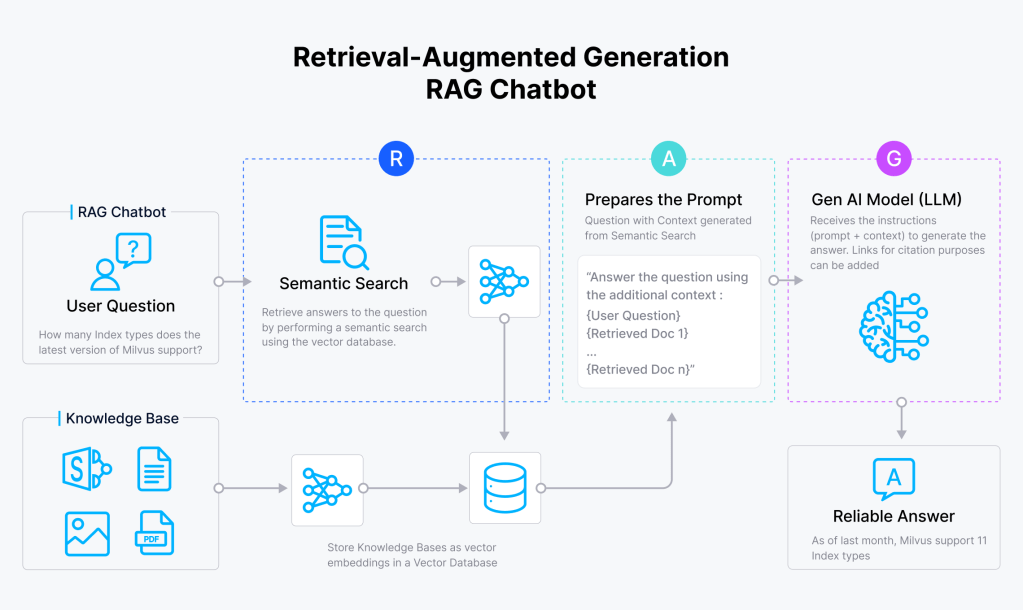
The image above depicts how a RAG chatbot works. As you can see the RAG app will need a Vector database, and a script to interface between the database and the LLM.
When I first started on this, I started by looking at guides to setup a RAG app since I didn’t really know how to get started. I ended up loosely following the guides that Pixegami has made on Youtube. I wanted to keep everything local and eliminate the OpenAI portion, so I had to figure out how to work around that. After getting some assistance from my friends, I was able to modify the code in a way that everything was all being done locally on my computer. I was happy with the results but I didn’t really like how I had to use different scripts for different aspects of my RAG app. For example, I had one script that would query my database, but if I wanted to update my database, I had to use a different script. This would be the thing that made me really go down the rabbit hole.
In my efforts to make the app do what I wanted it to do, I really ended up having to rewrite everything. I started with the initial query script that Pixegami had created on Github. My first task was to get it to have chatbot functionality with memory. In my efforts to do this, I broke my script repeatedly and would then have to read the errors it was putting out in order to know what was happening. At the beginning I leaned heavily on my friends to help me understand the errors, but by the end I was largely able to figure them out on my own. Eventually, I did get the memory working and I was pretty happy with what I had accomplished.
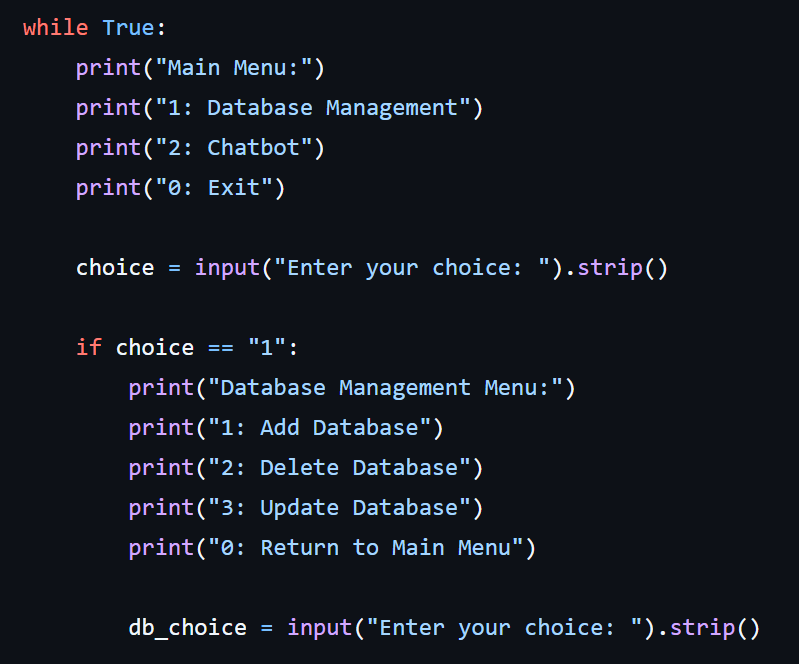
That didn’t last long though. After a day of it working how I wanted, I decided I wanted to expand on the functionality of my chatbot. I decided to implement a manu system that would allow me to either go to my chatbot or to database management. Then if I chose database management, it would present another menu allowing me to add, update, or delete vector databases. This would take quite some time for me to get working as I wanted it.
The first focus was getting my menu to work the way I wanted it to which didn’t take too long, but then getting all the code correct for each portion of the database management took some time. I had the code that Pixegami wrote and while it was a starting point, due to the way my code was done, I had to figure out how to get each function to work on its own. I eventually got everything working so that I could create, update and delete databases. Again, this wouldn’t last for long before I wanted to implement another quality of life improvement.
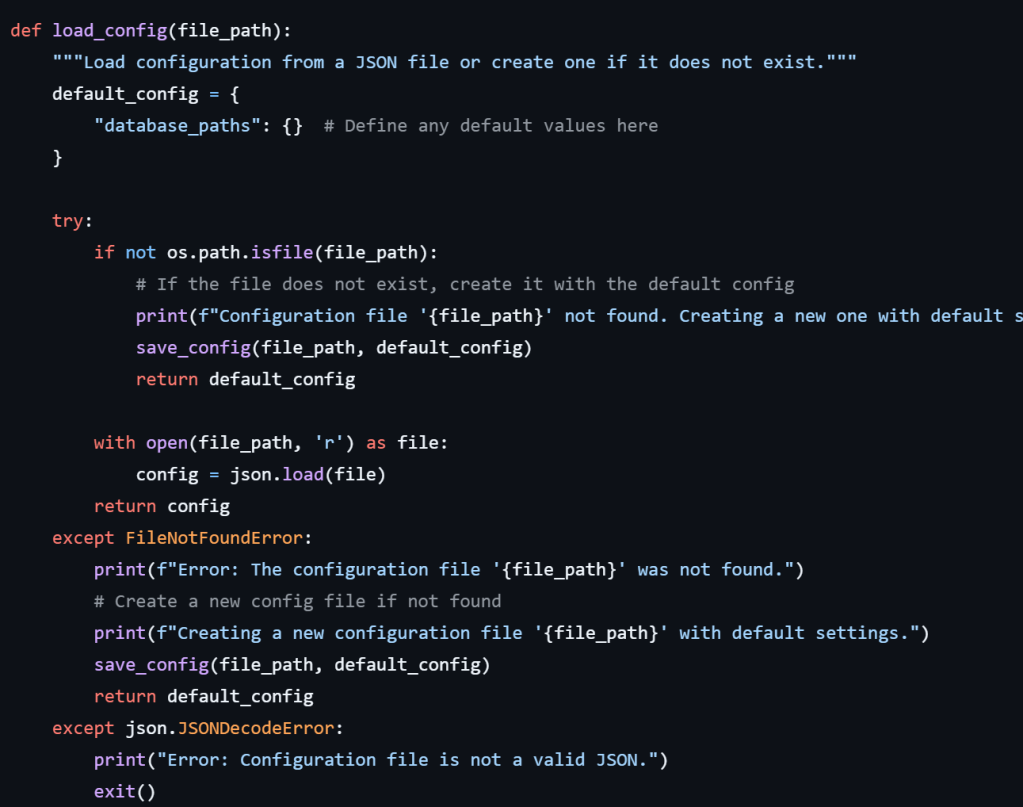
The quality of life improvement? A config file! Up until now, I had to specify the file path if I wanted to do any database management. I set it up to handle the “~”, but I always had to remember the file path to whichever database I wanted to work with. With the config file, I could then adjust my menus to read the config file and then present me with a list of database options to choose from. This meant that when updating or deleting databases, I didn’t have to remember where the database was located. I just have to select it from the list of options and the app handles the rest.
My latest bright idea for database management is to implement the ability to pull a pdf from a URL or scrape a site of pdfs. Since there is a very real possibility to get blocked from a site when scraping it for files, I am implementing rate limiting and also limiting it to only 10 downloads. I’m also working to have it save the files it does download to a file so that it will know what it has already downloaded so that if you go back to the same URL, it won’t duplicate what it has already downloaded.
On the chatbot side, it has remained pretty simple. If you choose to go to the chatbot, you are asked to select which database you want to use. This is dynamically generated from the config file. You can choose from any combination of available databases. Once selected you can converse with the chatbot and it will give you answers based on the databases you have selected. I also implemented gracefull handling of keyboard interupts. If you hit ctrl+c, it will prompt you if you want to exit. Depending on where you are at, it will either take you back to the main menu or exit the app.
If you would like to take a look at my current main branch of my chatbot, you can check out my GitHub.
 IamSpotted: Adventures in Cybersecurity
Leave a comment